An AI song in your own voice, with your consent built in
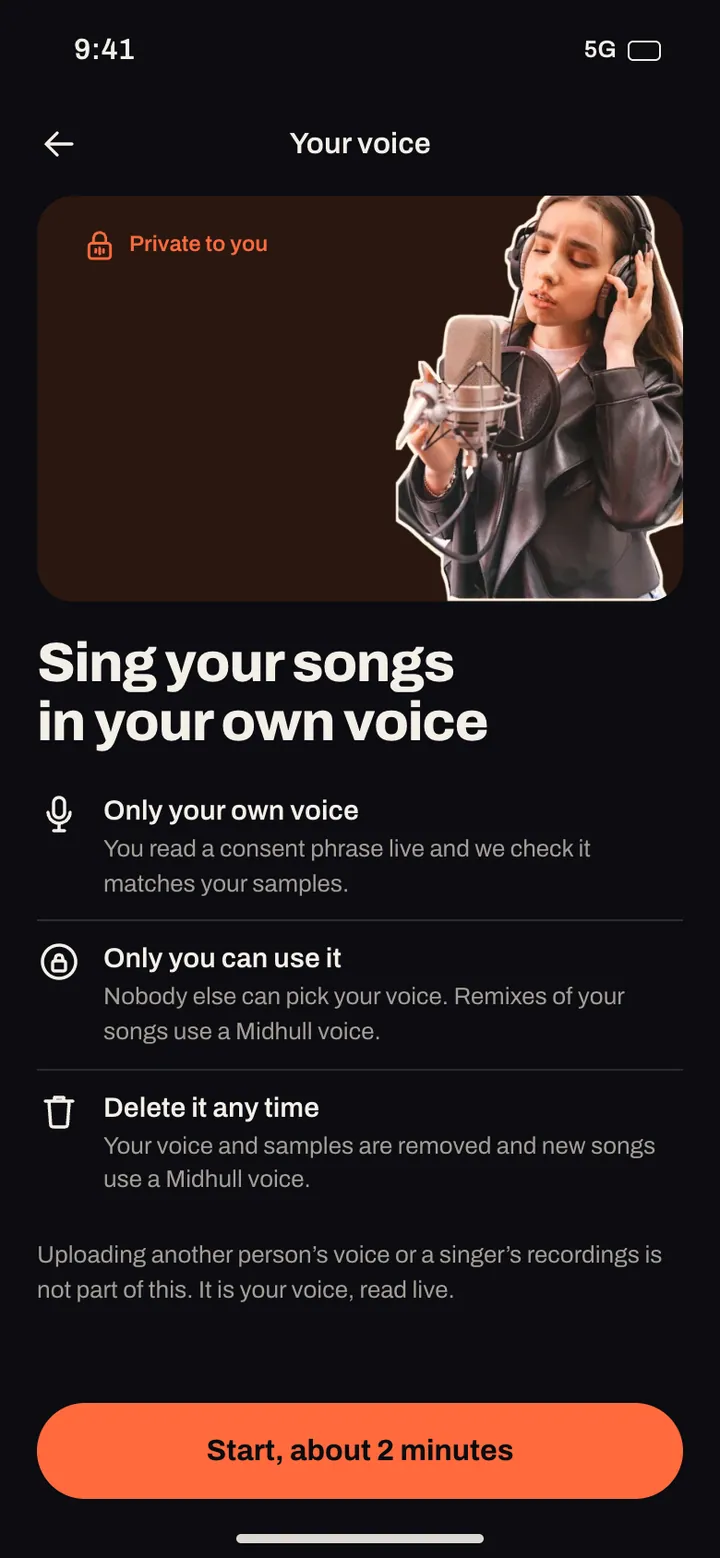
Hearing a song you made sung in your own voice is a different feeling from hearing a stranger sing it. It is also the feature that most needs rules, because a voice is personal. In Midhull you can only ever set up your own voice, it is checked with a phrase you read out loud, and nobody else can use it.
Updated
How it works
Setting up your voice takes about two minutes and has two steps.
- Read a consent phrase out loud. Midhull shows you a short phrase in your language (English, German, French, Spanish, Japanese or Korean). You tap and read it at your normal pace. The reading is checked against the phrase; if it does not match, or it is too short, you get a fresh phrase and try again.
- Sing three short samples. In a quiet room, with the phone about 20 cm away:
- Hold one note, about 4 seconds.
- Sing a scale, low to high, on any vowel.
- Sing the first two lines of Happy Birthday.
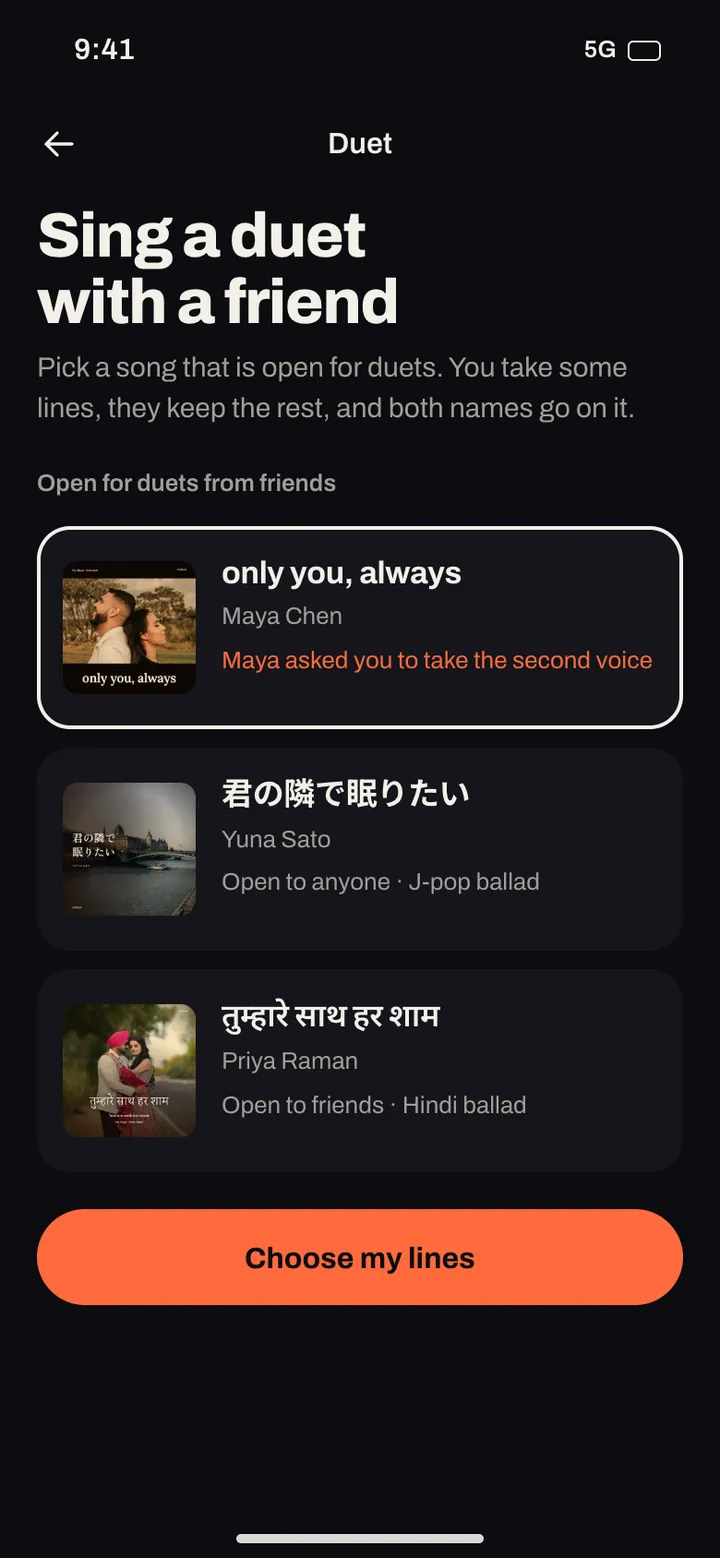
Then your voice is ready, and "your voice" shows up as an option whenever you choose who sings a song: in a new song, in the studio when you change the vocal, and in a duet, where you can sing your lines in your voice next to someone else.

The rules, in plain words
| Rule | What it means |
|---|---|
| Only your own voice | You read a phrase out loud so we know it is you. Voices of other people, artists included, cannot be used |
| Only you can use it | It never appears for anyone else, in any song |
| Your consent is kept | The consent recording is stored with the date you gave it |
| Delete it any time | One tap removes your voice, your samples and the consent recording. Songs you already made stay as they are |
| Report misuse | Anyone can report a song that copies a real person's voice, and reports are reviewed by our team |
These rules match where the music industry has drawn its line. Spotify, for example, says "vocal impersonation is only allowed in music on Spotify when the impersonated artist has authorized the usage." A voice feature that cannot be pointed at someone else is the honest way to build it.
In the app
Songs that work well in your voice
Your voice is most convincing in a register and style close to how you actually sing. Some starting points, written for this page:
A birthday song for your kid, sung by you. Prompt: "Warm acoustic pop, ukulele and hand claps, bright, 110 BPM."
[Chorus]
Six candles and a crown of paper gold
Six whole years and you're already bold
Make a wish, I'll keep it safe for you
Happy birthday, Juno, I love you
A duet with a friend. Use a duet so one verse is your voice and the next is theirs or a Midhull voice. "Indie folk, two acoustic guitars, close harmonies, male and female vocal."
A thank you that sounds like you. "Soul, Rhodes and brushed drums, mid tempo, my voice, tender." Write a short verse about one real moment.
Tips:
- Pick a key that suits you. You can move the song by up to 6 semitones either way (key changes open at level 3).
- Record the samples in your normal singing voice, not a performance voice you cannot hold.
- Re sing a single line in the studio if one phrase does not land.
Own voice features compared
| App | Own voice feature | How consent or ownership is handled, as stated | Source |
|---|---|---|---|
| Midhull | Your voice as a singer for your songs and duets | Live consent phrase read and checked; only your own voice; private to you; delete any time | Midhull app |
| Mureka | Custom vocal from your audio; Premier "any voice as your AI singer" (Mureka's wording) | Not stated on the pages checked | mureka.ai |
| Suno | Voices and personas | See Suno's own terms | suno.com |
| Udio | Voices reuses a library voice or your own Udio song | "You cannot upload your own voice as a source at this time" | Udio help center |
All checked on 31 October 2026.
Frequently asked questions
Can AI sing a song in my voice?
Yes. In Midhull you read a consent phrase and sing three short samples, about two minutes in all, and your voice becomes an option for every song you make.
Can I use someone else's voice?
No. Only your own voice can be set up, checked by a phrase you read out loud. Voices of other people, artists included, cannot be used.
Who can hear or use my voice?
Only you can make songs with it. It never appears for anyone else. Songs you choose to share are heard like any other song you share.
Can I delete my voice?
Yes, with one tap. Your voice, your samples and the consent recording are removed; songs you already made stay as they are.
Which languages does the consent read support?
English, German, French, Spanish, Japanese and Korean.
Is my own voice included in every plan?
Plans and what each includes are published at launch.
Related
- Can you use AI music commercially?
- AI birthday song with their name
- A personalized song as a gift
- Hum to song
- In the app: Studio, Safety
Sources (all checked 31 October 2026)
- Spotify impersonation policy, 25 September 2025: https://musicbusinessworldwide.com/spotify-has-deleted-75m-spammy-tracks-as-it-unveils-new-ai-music-policies
- Udio Voices: https://help.udio.com/en/articles/12055317-voices
- Mureka: https://www.mureka.ai/subscribe