Hum to song: turn the tune in your head into a song
Most people who search "hum to song" want to find a song they already know, and a song search engine will do that for you. This page is for the other job: you have a melody that nobody has written yet, and you want it to become a song.
Updated
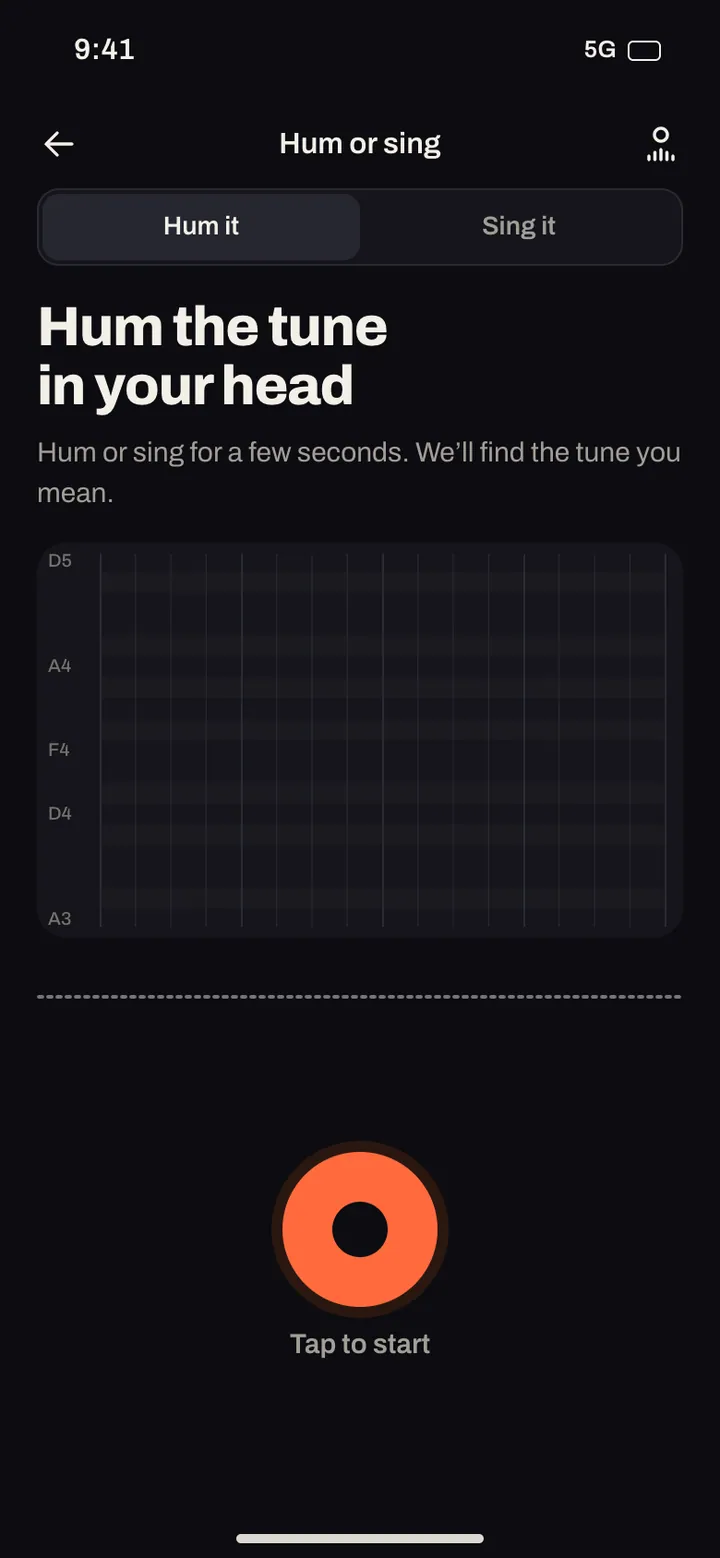
In Midhull, Hum it and Sing it are two of the nine ways to start a song. You hum or sing for a few seconds, the phone turns what it hears into notes, you hear your tune played back on an instrument, and then Midhull builds a song with your melody as the guide.
What the app hears when you hum
When you press record, Midhull tracks the pitch of your voice on the phone itself, many times a second. From that it builds a short score:
| What it reads | How | What it is used for |
|---|---|---|
| Notes | A new note starts when your voice comes in or the pitch moves by a semitone or more, and ends when you go quiet | The melody used as a guide for the song |
| Key | Worked out from the notes you hummed | So the chords fit your tune |
| Tempo | Worked out from when your notes start | So the band plays at your speed |
| Your take | Sent along with the notes | So the song can follow how you hummed it, not only the pitches |
Before anything else happens you see your melody as notes on a grid and hear it played back on an instrument you pick, in a genre you pick. If it is not what you meant, hum it again: that costs nothing.

How to hum so it hears you right
Pitch tracking reads one voice at a time. These habits make the notes come out the way you meant them.
- Hum on a syllable, not a closed mouth. "Da da da" or "la la la" gives each note a clear start. A long closed mouth "mmm" tends to blur notes together.
- Leave a tiny gap between notes that repeat. Two notes at the same pitch with no break read as one long note.
- Hold the phone 15 to 30 cm from your mouth in a quiet room. If the take is too quiet, the app will ask you to hum again a little closer.
- No music in the background. A radio or a TV adds a second melody the tracker cannot separate.
- Hum the hook, not the whole song. Four bars, the bit that loops in your head, is enough. The verse can come from the song.
- Keep a steady pulse. Tap your foot. Tempo is read from your note starts, so a steady hum gives a steady band.
- Sing it if you have words. Sing it takes a sung phrase instead of a hum, so the melody comes with its lyrics.
Listen
Porch light
Pop rock · Wistful
3:35
Lyrics
I kept the porch light burning through the rain
Wrote your name in dust on the window pane
Every train that passed would shake the floor
I would listen for your footsteps at the door
And the clock keeps talking in the hall
Saying nothing, saying nothing at all
Come back home before the summer ends
We can start again, we can still be friends
Leave the past out on the open road
Come back home and lighten up the load
There's a jacket hanging where you left it last
There's a photograph that's fading way too fast
I have learned to cook for only one
But I still set two plates when the day is done
And the clock keeps talking in the hall
Saying nothing, saying nothing at all
Come back home before the summer ends
We can start again, we can still be friends
Leave the past out on the open road
Come back home and lighten up the load
Maybe we were young and maybe we were proud
Maybe all we needed was to say it out loud
I am saying it now, I am saying it now
Come back home before the summer ends
We can start again, we can still be friends
Leave the past out on the open road
Come back home and lighten up the load
Come back home, come back home
From hum to finished song
- Hum it. A few seconds of the tune.
- Check the notes. See them on the grid, with the key and tempo the app found.
- Pick an instrument and a genre. Hear your tune on it before the song is made.
- Add words or a description. Your own lyrics, or a line about what the song is about.
- Make the song. You get two takes, made with your melody as a guide.
- Shape it in the studio. Extend it, change the voice (your own verified voice is one of the options), and as you level up, change the key or tempo (level 3) or regenerate a section and add a bridge (level 5).
The melody you hum is a starting point for the song, not a promise. We do not guarantee that the finished song follows your tune note for note, and our own engine tests rate true hum to song as only partly working so far. Treat the two takes as interpretations of your idea, pick the one you like and shape it from there.
In the app
Example: from four bars to a song
Say the tune in your head is the hook of a slow love song. A good set of inputs looks like this:
- Hum: four bars of the hook, on "da", at a slow walking pace.
- Instrument preview: felt piano, so you can hear the tune clearly.
- Description: "Slow soul ballad, warm Rhodes, brushed drums, female vocal, about the first night in a new flat."
- Lyrics for the hook, written to fit four bars with even lines:
[Chorus]
Boxes on the floor and the kettle on
Your coat on the hook where mine has gone
Nothing on the walls, but it feels like home
Nothing on the walls, but we're not alone
Nine to ten syllables a line, matched rhymes in pairs, and a repeated half line in the last two. It is easy to sing to a hummed tune because the lines are as even as the tune.
Hum it, Sing it and Tap it: which one
| You have | Use | What it captures |
|---|---|---|
| A tune without words | Hum it | Pitch, key and tempo |
| A tune with some words | Sing it | Pitch, key, tempo, and a sung phrase |
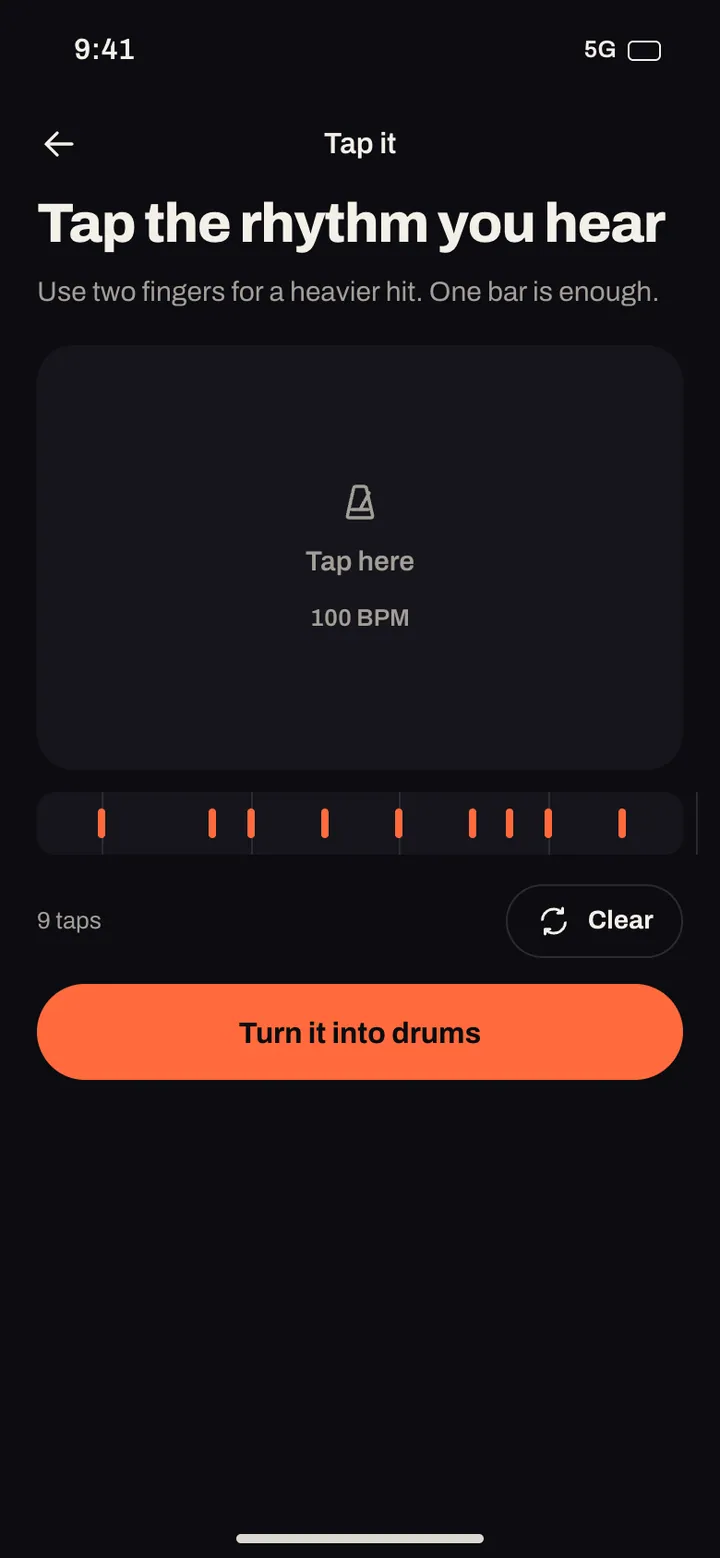
| A groove, no tune | Tap it | A rhythm you tap on the screen, which becomes the drum pattern |
| A sound you recorded in the app | Sample it | A chop you can loop, pitch, stretch or reverse, then rap or sing over |
Frequently asked questions
Can AI turn my humming into a song?
Yes. In Midhull you hum a few seconds, see and hear the notes it found, then make a song with your melody as the guide, with lyrics you write or a description.
Do I need to hum in tune?
No. The app finds the key from the notes you hum and the song is built in that key. You can change the key afterwards, up to 6 semitones either way.
How long should I hum?
Four bars of the main hook is the sweet spot, a few seconds. More is fine, but the hook is what matters.
Is this the same as humming to find a song?
No. Song identification matches your hum against songs that exist. Hum it turns your own tune into a new song.
Can the song be sung in my voice?
Yes, if you verify your own voice first with a live consent read. See AI song with your own voice.
Does it work in every language?
Humming has no language. The lyrics can be in any of the 37 languages we have tested for singing, from Spanish and Portuguese to Hindi, Arabic and Filipino.
Related
- How to make a song with AI
- Turn your lyrics into a song
- AI rap generator for Tap it and Sample it
- AI song generator
- In the app: Create, Studio