How to make a song with AI, step by step, with the prompts and lyrics that worked
To make a song with AI, decide who the song is for, pick how you start (a description, your own lyrics, a hum or a photo), write a prompt that names genre, tempo, instruments, voice and subject, add lyrics with section tags, compare two takes, then fix the weak part in a studio instead of starting again. The whole loop fits on a phone. Below is the method we use at Midhull, shown on songs we made with our own sound engine, with the exact prompts and lyrics next to the audio.
Updated
Midhull is a music studio app for iPhone and Android, launching soon in English, German, French, Spanish, Japanese and Korean. Everything on this page describes what is in the app today; where a feature has limits, we say so.
The short version
- Decide what the song is for and how long it needs to be.
- Choose your way in: describe it, write it, hum or sing it, snap a photo, dedicate it, tap a rhythm, remix or sample.
- Write a prompt with five parts: genre and era, tempo, instruments, voice, subject.
- Write or edit the lyrics with section tags and even line lengths.
- Listen to both takes and keep the one with the better chorus.
- Fix what is wrong with a targeted edit: one section, one line, the key, the tempo.
- Export the format your destination needs, at the right loudness.
Step 1: decide what the song is for
A song for a friend's birthday and a song you want to release need different shapes, and the purpose should set the structure before you type a word.
| Purpose | Length that works | Structure we start from | Why |
|---|---|---|---|
| Birthday or thank you message | 60 to 90 s | Verse, chorus, chorus | The name lands in the chorus twice, and nobody waits a minute for it |
| Short video hook | 15 to 30 s | Chorus only, or pre chorus into chorus | Short video audio is chosen in the first seconds |
| A song you want to keep and share | 2:30 to 3:30 | Verse, pre chorus, chorus, verse, pre chorus, chorus, bridge, chorus | The classic pop shape gives the chorus three chances and the bridge a turn |
| Instrumental for a video or a game | 60 to 120 s | Intro, build, peak, outro | Music under picture needs a clear arc, not a hook |
Midhull's longest song in our engine test ran 215 seconds (3:35) and sang every section in order: verse, pre chorus, chorus, verse, pre chorus, chorus, bridge, chorus. So a full length song is a realistic target from one set of lyrics.
Listen
Sunrise, take the long way
Summer pop · Bright
1:30
Lyrics
Windows down and the radio on
Coffee's cold but the night is gone
Five of us in a borrowed car
Chasing light to wherever we are
Sunrise, take the long way home
Sunrise, we were never alone
Hold the moment, let it glow
Sunrise, sunrise, don't let go
Sunrise, take the long way home
Sunrise, we were never alone
Hold the moment, let it glow
Sunrise, sunrise, don't let go
Leaving the small town
Alternative rock · Restless
2:30
What was typed
Anthemic alternative rock song, big distorted guitars, driving drums, raw male vocal, about leaving a small town behindLetter to an old friend
Acoustic ballad · Bittersweet
2:30
What was typed
Acoustic ballad, fingerpicked guitar and soft piano, tender female vocal, about a letter to an old friendPorch light
Pop rock · Wistful
3:35
Lyrics
I kept the porch light burning through the rain
Wrote your name in dust on the window pane
Every train that passed would shake the floor
I would listen for your footsteps at the door
And the clock keeps talking in the hall
Saying nothing, saying nothing at all
Come back home before the summer ends
We can start again, we can still be friends
Leave the past out on the open road
Come back home and lighten up the load
There's a jacket hanging where you left it last
There's a photograph that's fading way too fast
I have learned to cook for only one
But I still set two plates when the day is done
And the clock keeps talking in the hall
Saying nothing, saying nothing at all
Come back home before the summer ends
We can start again, we can still be friends
Leave the past out on the open road
Come back home and lighten up the load
Maybe we were young and maybe we were proud
Maybe all we needed was to say it out loud
I am saying it now, I am saying it now
Come back home before the summer ends
We can start again, we can still be friends
Leave the past out on the open road
Come back home and lighten up the load
Come back home, come back home
First light
Cinematic · Epic
1:30
Instrumental
Step 2: pick your way in
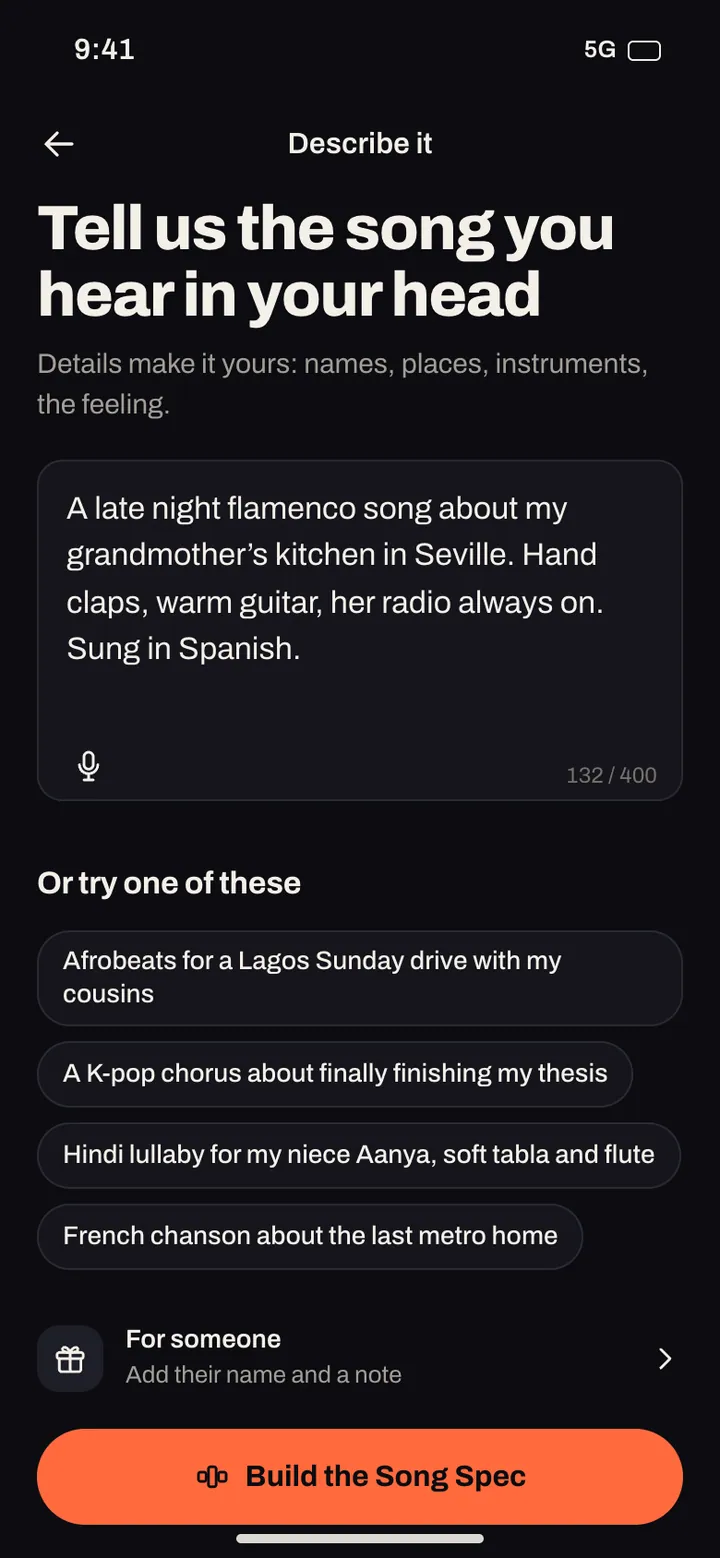
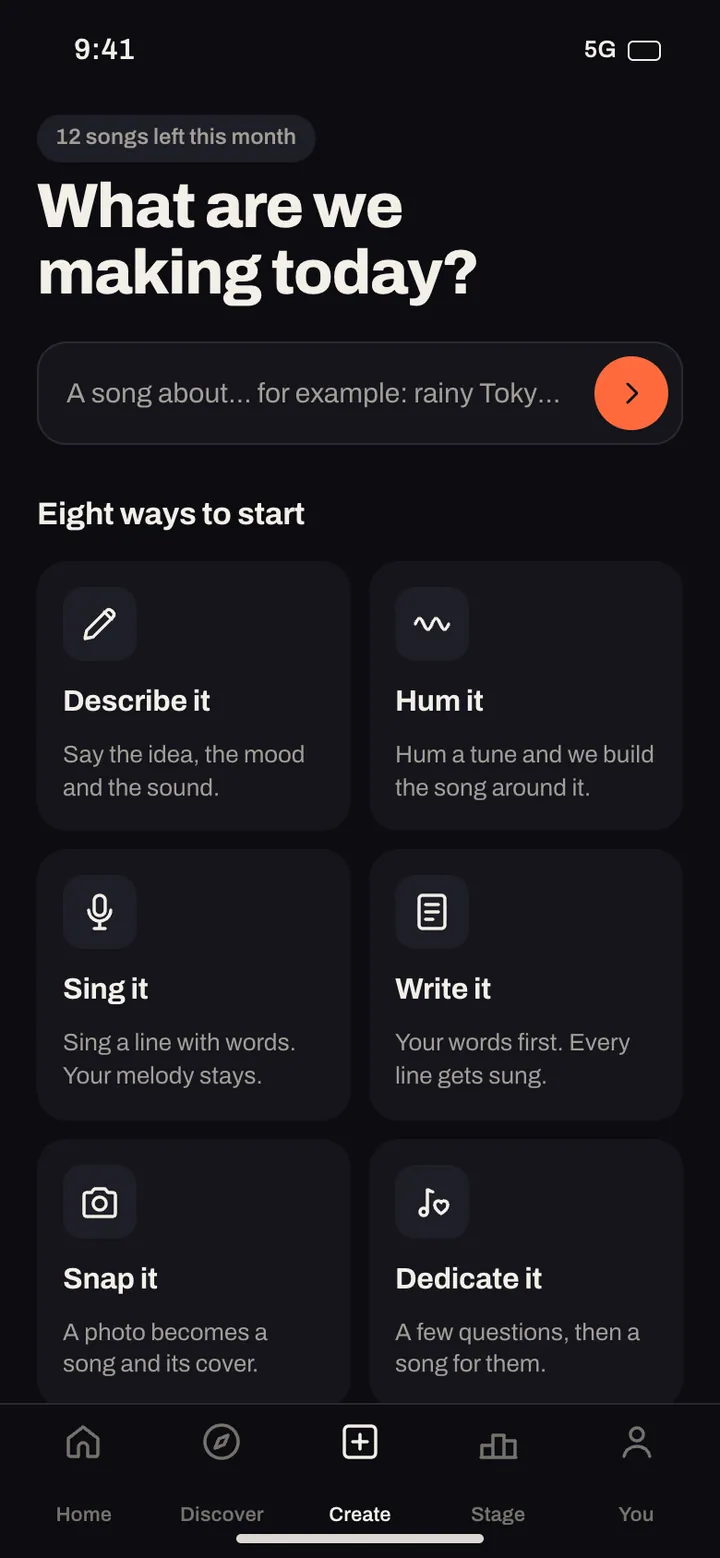
Most AI song generators give you one text box. Midhull has nine ways to start, because the best starting point depends on what you already have.
| You have | Mode | What you give | Best for |
|---|---|---|---|
| A feeling or a scene | Describe it | A sentence or two | First songs, moods, instrumentals |
| Words you wrote | Write it | Your lyrics, line by line, with lines you can lock | Poets, songwriters, anyone with a message |
| A tune in your head | Hum it | A few seconds of humming | Melodies you can hum but cannot write down |
| A vocal idea | Sing it | A sung phrase | Singers sketching an idea |
| A picture | Snap it | A photo | Trips, pets, a night out |
| A person | Dedicate it | Answers to a few questions about them | Birthdays, anniversaries, thank yous |
| A groove | Tap it | A rhythm tapped on the screen | Beat first writers, rap |
| A song you love on Midhull | Remix it | A community song, credited automatically | New versions, other genres |
| A sound you recorded | Sample it | A chop of your own in app recording, a community song or a Midhull pack | Beatmakers and rappers |
Sample it only takes your own in app recordings, community songs whose owners allow sampling, and Midhull's own sample packs. Commercial recordings cannot be uploaded to sample. That rule keeps your song yours.
In the app
Step 3: write the prompt
A good prompt is a production brief. Five parts carry nearly all of the result:
| Part | Weak | Strong |
|---|---|---|
| Genre and era | pop | 2010s summer pop |
| Tempo | upbeat | 118 BPM, or "mid tempo" if you do not know numbers |
| Instruments | nice music | bright synths, handclaps, clean electric guitar |
| Voice | a singer | female lead, close and breathy in the verses, full in the chorus |
| Subject | a happy song | driving to the coast with friends at sunrise |
Here is the prompt behind one of our test songs, "Sunrise, take the long way":
Upbeat summer pop, bright synths and handclaps, female lead, about driving to the coast with friends at sunrise.
And the one behind "Leaving the small town", made from a description only:
Anthemic alternative rock song, big distorted guitars, driving drums, raw male vocal, about leaving a small town behind.
Three habits that improve every prompt:
- Name instruments, not adjectives. "Fingerpicked guitar and soft piano" tells the engine more than "beautiful and emotional".
- Give one subject, with one concrete detail. "A letter to an old friend" beats "friendship"; "coffee's cold but the night is gone" beats "late night".
- Steer by genre, era, mood and instruments, never by an artist's name. Midhull does not imitate real artists, so prompts that name one are steered back to style words. "Late 70s soft rock, warm Rhodes, close harmonies" gets you there without borrowing anyone's identity.
Step 4: write lyrics that can be sung
Lyrics on a page and lyrics in a song are different animals. The engine has to fit your words to a melody, and it does that best when the lines give it a pattern to follow.
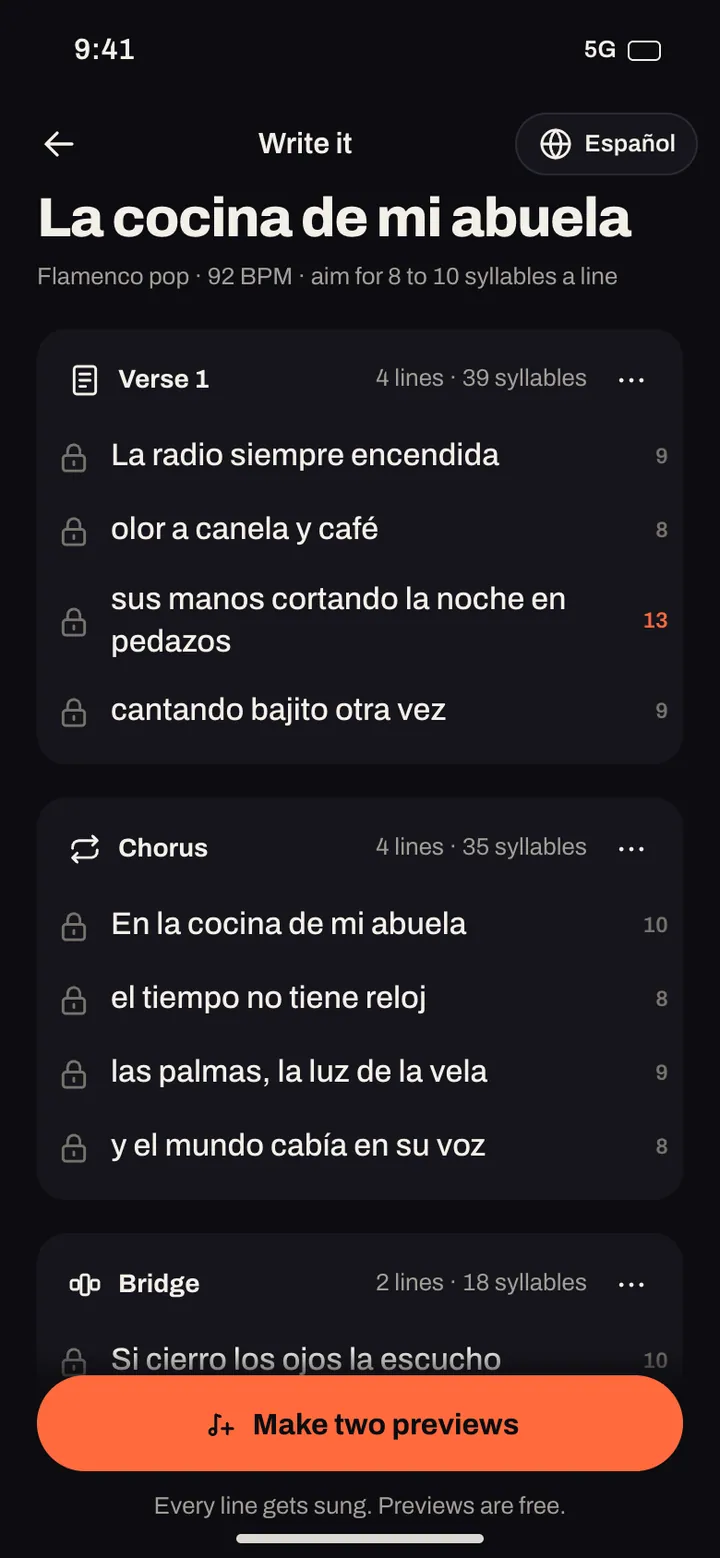
Use section tags. Put each section on its own block with a tag in square brackets: [Verse], [Pre-Chorus], [Chorus], [Bridge], [Outro]. Midhull understands intro, verse, pre chorus, chorus, post chorus, bridge, rap, drop, breakdown, solo, interlude and outro.
Keep line lengths even inside a section. Four lines of 7 to 9 syllables in a verse give a steady melody. A 15 syllable line in the middle of short ones gets rushed.
Rhyme at the ends of lines 2 and 4 at least. It helps the melody resolve.
Repeat the chorus word for word. Repetition is what makes a chorus a chorus.
These are the lyrics we sent for "Sunrise, take the long way":
[Verse]
Windows down and the radio on
Coffee's cold but the night is gone
Five of us in a borrowed car
Chasing light to wherever we are

[Chorus]
Sunrise, take the long way home
Sunrise, we were never alone
Hold the moment, let it glow
Sunrise, sunrise, don't let go
Every verse line is 7 to 8 syllables, the rhymes sit at the line ends (on, gone; car, are), and the chorus opens three of its four lines on the same word. We then ran the result through Whisper large v3, a speech recognition model, to check how many words came out right: the word error rate was 0.04, which means about 4 words in 100 differed from what we wrote, and the only clear slip was "let it glow" heard as "let it go".
If you do not want to write lyrics at all, Describe it writes them for you with Midhull's own lyric writer, in the song's language. You can then edit any line and lock the lines you like.
Step 5: compare two takes
Every song you make comes back as two takes to choose from. Listen to both choruses before you listen to anything else: the chorus decides whether the song works. Previews do not use your balance; a song counts only when you keep it, and if a take comes out broken (a gap in the vocal, a skipped line, clipping, a song cut short, the wrong language or silence) the song goes back to your balance automatically.
Step 6: fix the part, keep the song
This is where most AI music workflows fall apart. You like the song, but the second verse is flat, and the only tool is "generate again", which throws away the parts you liked. Midhull's studio lets you change one thing at a time:
| What is wrong | What to do in the studio |
|---|---|
| The chorus is flat but the verses are great | Regenerate that section only; the rest stays exactly as it is |
| One word is sung badly | Re sing that one line |
| You want different words in one line | Rewrite that line; the rest of the song stays |
| It ends too soon | Extend the song, 10 to 90 seconds at a time |
| It needs a turn before the last chorus | Add a bridge |
| It sits too high or too low for the mood | Change the key, up to 6 semitones either way |
| It drags or rushes | Change the tempo, anywhere from 40 to 220 BPM |
| Wrong voice for the song | Change the vocal style: female, male, duet, group, choir, rap, whisper or your own verified voice |
| Too produced | Make it acoustic |
| Right song, wrong genre | Remix it into another genre and keep the vocals |
Songs also stay on the engine version they were made with, so an edit next month still sounds like the song you made today.
Studio tools open up as you make songs and level up: rewriting and re singing a line are there from your first song, key and tempo open at level 3, regenerating a section and adding a bridge at level 5, swapping an instrument at level 8 and stem export at level 10. Extending a song, changing the vocal style, making it acoustic and remixing into another genre are open from the start.
Step 7: export for where it is going
| Destination | Format | Loudness preset |
|---|---|---|
| Streaming services | WAV | -14 LUFS |
| Short video | MP3 | -11 LUFS |
| YouTube | WAV or MP3 | -14 LUFS |
| Podcast intro | MP3 | -16 LUFS |
| A producer or a DAW | Stems (drums, bass, keys, lead; stem export opens at level 10) plus a chord MIDI file, on plans that include them | Original |
| A singer who wants to learn it | Lyric sheet | Not applicable |
LUFS is the standard measure of perceived loudness. Matching the target means a platform does not turn your song down or squash it. Downloads of songs you make are never locked later, even if you change plans.
Three complete examples
A ballad from a description. Prompt: "Acoustic ballad, fingerpicked guitar and soft piano, tender female vocal, about a letter to an old friend." Result: a 2:30 song with verse, chorus and an acoustic guitar bridge. Listen to "Letter to an old friend".
A full length song from your own lyrics. Prompt: "Heartfelt pop rock, acoustic and electric guitars, piano, full band, warm male vocal, big singalong chorus, emotional bridge." Lyrics: our own, eight sections. Result: "Porch light", 3:35, every section sung in order, word error rate 0.06. The bridge is the moment to listen for:
[Bridge]
Maybe we were young and maybe we were proud
Maybe all we needed was to say it out loud
I am saying it now, I am saying it now
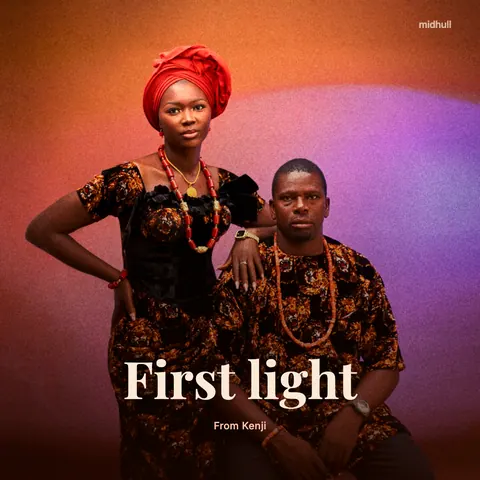
An instrumental. Prompt: "Cinematic orchestral build, soaring strings, French horns, taiko drums, epic and hopeful, no vocals." Result: "First light", 90 seconds with no vocal at all (the vocal stem measured 34 dB under the mix, and speech recognition found no words).
Common mistakes and the fix
| Mistake | What happens | Fix |
|---|---|---|
| Ten adjectives, no instruments | A generic mix | Name two or three instruments |
| A whole story in one verse | Rushed, crowded lines | One idea per section, 4 lines each |
| No chorus tag | The song wanders | Tag it and repeat it word for word |
| Mixing two genres without a lead | Neither genre comes through | Lead with one, add the other as colour: "lo fi hip hop with a bossa nova guitar" |
| Regenerating a whole song to fix one line | You lose the parts you liked | Re sing or rewrite that line |
Frequently asked questions
Can I make a song with AI on my phone?
Yes. Midhull is built for iPhone and Android. You can describe a song, write lyrics, hum, take a photo or tap a rhythm on the phone itself, then edit and export there.
Do I need to know music theory?
No. Tempo in BPM and the key are optional. "Mid tempo" and "in a sad key" are fine starting points, and you can change key and tempo after you hear the song.
Can I use my own voice?
Yes, once you verify it. Midhull's own voice feature takes a live read of a consent phrase, checks it, and then lets the song be sung in your voice. It only works with your own voice.
What languages can the songs be in?
We have tested singing in 37 languages, including Spanish, Portuguese, Hindi, Arabic and Filipino. The app itself is in English, German, French, Spanish, Japanese and Korean. See AI songs in other languages for the full list and the measured results.
Is the first song free?
Yes. You make your first full song while you set up the app, before any payment. After that, songs come with a plan. Prices are published at launch.
Who owns the song I make?
Every song carries a rights card that says, in plain words, what you can do with it on your plan. For the wider question of AI music and copyright, read Can you use AI music commercially?.
Where to go next
- Start from words: Turn your lyrics into a song
- Start from a tune: Hum to song
- Need lyrics first: AI lyrics generator
- Make it for someone: AI birthday song with their name and personalized song gifts
- Compare apps: The best AI music generator apps, compared
- See every way in: Create and the Studio
- Get the app when it opens: Download